This blog post walks through the process of restoring a Transparent Data Encryption (TDE) enabled SQL Server database from on-premises to Amazon RDS.
This blog post walks through the process of restoring a Transparent Data Encryption (TDE) enabled SQL Server database from on-premises to Amazon RDS.
Overview
To restore an encrypted database to RDS, you need to:
- Create and encrypt the database on-premises
- Back up the TDE certificate and private key
- Upload the certificate, private key and database backup to S3
- Restore the certificate to RDS
- Restore the database backup
Restoring/Migrating a TDE database to RDS
Creating and enabling a TDE database
Create a master key.
USE master;

GO

CREATE MASTER KEY ENCRYPTION BY PASSWORD = 'siftdv8N';

GO
Create or obtain a certificate protected by the master key.
USE master;

GO

CREATE CERTIFICATE MyTDEServerCert WITH SUBJECT = 'My DEK Certificate';

GO
Create a database encryption key and protect it by using the certificate.
USE [TDEDB];

GO

CREATE DATABASE ENCRYPTION KEY

WITH ALGORITHM = AES_256

ENCRYPTION BY SERVER CERTIFICATE MyTDEServerCert;

GO
Warning: The certificate used for encrypting the database encryption key has not been backed up. You should immediately back up the certificate and the private key associated with the certificate. If the certificate ever becomes unavailable or if you must restore or attach the database on another server, you must have backups of both the certificate and the private key or you will not be able to open the database.
Set the database to use encryption.
ALTER DATABASE [TDEDB]

SET ENCRYPTION ON;

GO
A quick check.The value 3 represents an encrypted state
USE [TDEDB];
GO
SELECT
db_name(database_id),
encryption_state,
key_algorithm,
key_length,
encryption_state_desc
FROM sys.dm_database_encryption_keys
WHERE encryption_state = 3;
GO
Set the database to use encryption.
USE MASTER;
BACKUP DATABASE [TDEDB] TO  DISK = N'G:MSSQL15.MSSQL2019MSSQLBackupTDEDB.bak' WITH NOFORMAT, STATS = 10

GO
Upload to the S3 bucket
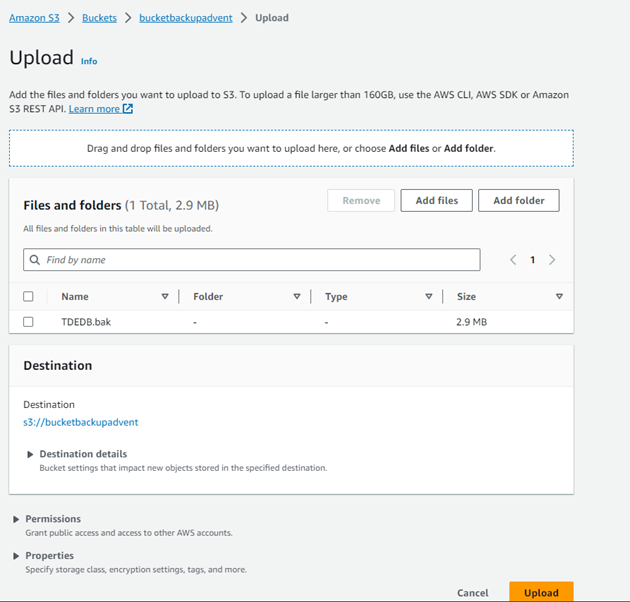
Restore the database to the RDS instance
Restore database<br><br>exec msdb.dbo.rds_restore_database<br><br>@restore_db_name='TDEDB',<br><br>@s3_arn_to_restore_from='arn:aws:s3:::bucketbackupadvent/TDEDB.bak';<br><br>exec msdb.dbo.rds_task_status<br>
It failed with the below
[2023-09-10 21:48:22.550] Cannot find server certificate with thumbprint ‘0xEFCWE2A24B1247’. [2023-09-10 21:48:22.567] RESTORE FILELIST is
terminating abnormally. [2023-09-10 21:48:22.600] Aborted the task because of a task failure or a concurrent RESTORE_DB request.
[2023-09-10 21:48:22.827] Task has been aborted [2023-09-10 21:48:22.840] Empty restore file list result retrieved.

Backup the certificate,upload to S3 and restore to RDS.Before taking the certificate backup, we need to generate a data key.
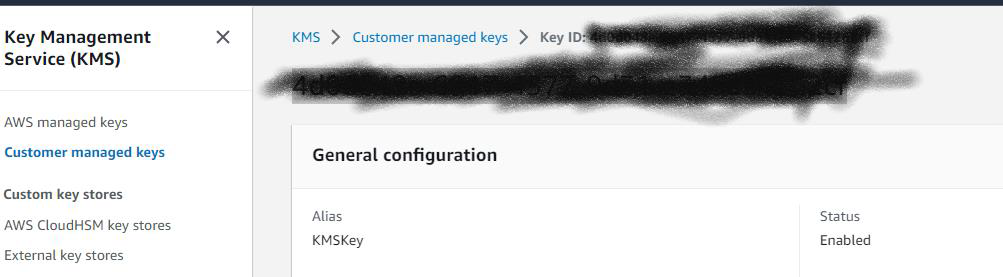
Generate AWS KMS data key
aws kms generate-data-key --key-id 3435048e-6917-4577-9d31-notreal --key-spec AES_256
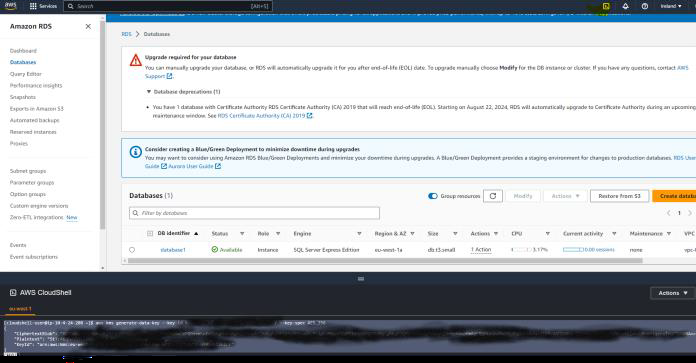
Backup the certificate,upload to S3 and restore to RDS.Before taking the certificate backup, we need to generate a data key.
aws kms generate-data-key --key-id 5eodo48e-6917-4577-9d31-notreal --key-spec AES_256<br>
Backup the certificate,upload to S3 and restore to RDS.
BACKUP CERTIFICATE MyTDEServerCert
TO FILE = 'G:MSSQL15.MSSQL2019MSSQLBackupMyTDEServerCert_Cert'
WITH PRIVATE KEY (file='G:MSSQL15.MSSQL2019MSSQLBackupMyTDEServerCertKey.pvk ', ENCRYPTION BY PASSWORD='Plaintext')
GO
arn:aws:kms:eu-west-1:662360655555:key/4d0d048e-6917-4577-9d31-notreal
aws kms generate-data-key –key-id 4d0d048e-6917-4577-9d31-notreal –key-spec AES_256
[cloudshell-user@ip-10-11-15-170 ~]$ aws kms generate-data-key –key-id 4d0d048e-6917-4577-9d31-notreal –key-spec AES_256
{
DAIDAHg2QVcNb4IUYj49VCY4H23323c2E4KWlWwZeFQHLq57nwOqeMgPXuDjvltGmAAAAfjB8BgkqhkiG9w0BBwagb2MGgG3323CSqGSIb3DQEHATAeBglghkgBZQMEAS4wEQQMF/YlFswrnotreal/jKwtTkR2323mDCgf0jTcHbuPVxPht8Vw==
“CiphertextBlob”: “AQIDAHg2QVcNb4IUYj49VCY4HVzsynotreal+vAgEQgDsOOHHDFS1CvHLiHLidIn/BtpFUTPvtqT/40SCvgG8uLaZN90+notrealrerere==”,
“Plaintext”: “7Pq2y6JSodlonotrealzu223233j+notreal=”,
“KeyId”: “arn:aws:kms:eu-west-1:662360655555:key/4d0d048e-np-4577-9d31-notreal”
}
[cloudshell-user@ip-10-11-15-170 ~]$
use master
BACKUP CERTIFICATE MyTDEServerCert
TO FILE = ‘G:MSSQL15.MSSQL2019MSSQLBackupMyTDEServerCert_Cert’
WITH PRIVATE KEY (file=’G:MSSQL15.MSSQL2019MSSQLBackupMyTDEServerCertKey.pvk ‘, ENCRYPTION BY PASSWORD=’7Pq2ynotreal’
Upload the backed up certificate and the Private key to S3 bucket
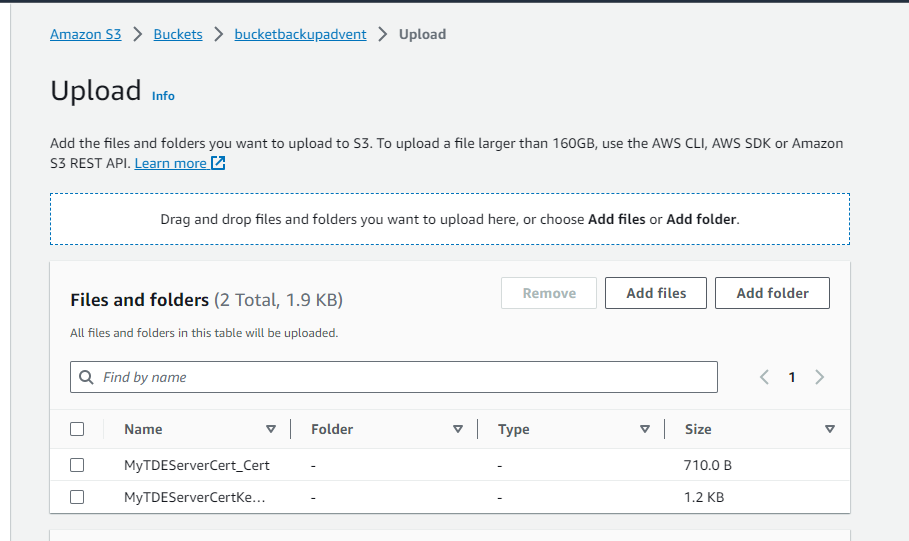
Create and edit the option group
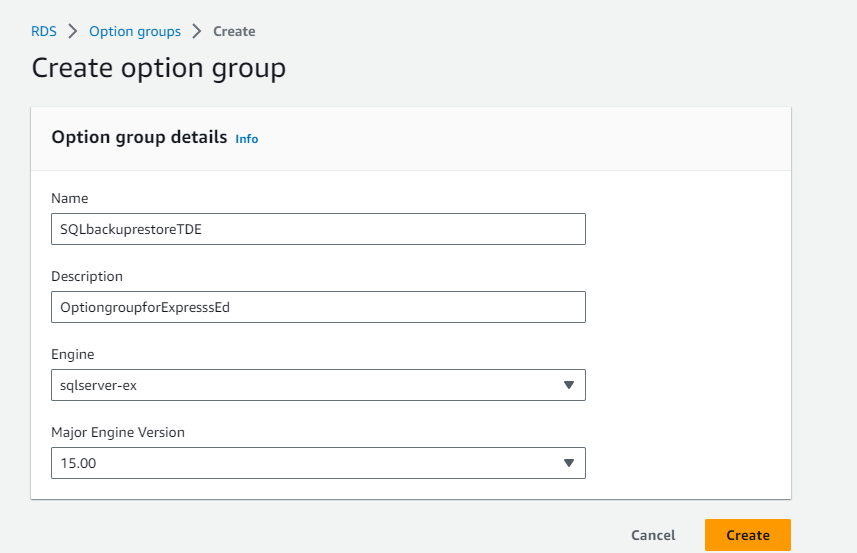
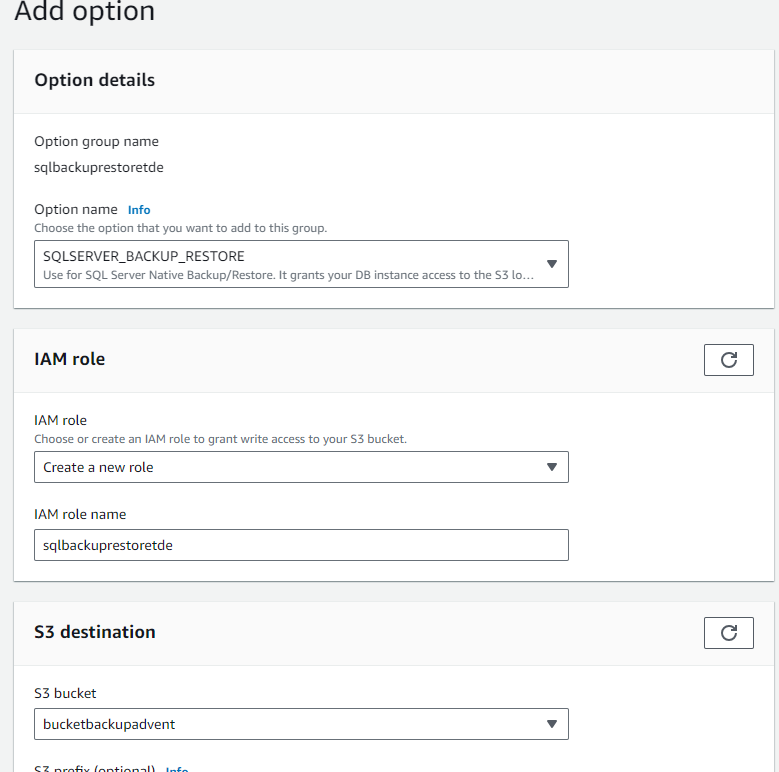
Restoring the certificate failed with
Msg 50000, Level 16, State 0, Procedure msdb.dbo.rds_restore_tde_certificate, Line 64 [Batch Start Line 0]
Unable to find the prefix “UserTDECertificate_” for certificate ‘MyServerTDECERT’. Make sure that you prefix “UserTDECertificate_” to the certificate name.
You must add the prefix @certificate_name=’UserTDECertificate_Certificatename’
exec msdb.dbo.rds_restore_tde_certificate
@certificate_name=’UserTDECertificate_MyServerTDECERT’,
@certificate_file_s3_arn=’arn:aws:s3:::bucketbackupnotreal/MyTDEServerCert_Cert’,
@private_key_file_s3_arn=’arn:aws:s3:::bucketbackupadvent/MyTDEServerCertKey.pvk’,
@kms_password_key_arn=’arn:aws:kms:eu-west-1:7723notreal:key/4npd048e-6917-4577-34343-notreal’;
Msg 50000, Level 16, State 0, Procedure msdb.dbo.rds_restore_tde_certificate, Line 38 [Batch Start Line 13]
The TDE option isn’t enabled or is in the process of being enabled. Try again later.
Unfortunately you can’t add the TDE option to Option group for Express edition.Setting up an instance with Standard Edition gives the option of adding a TDE option to the option group.
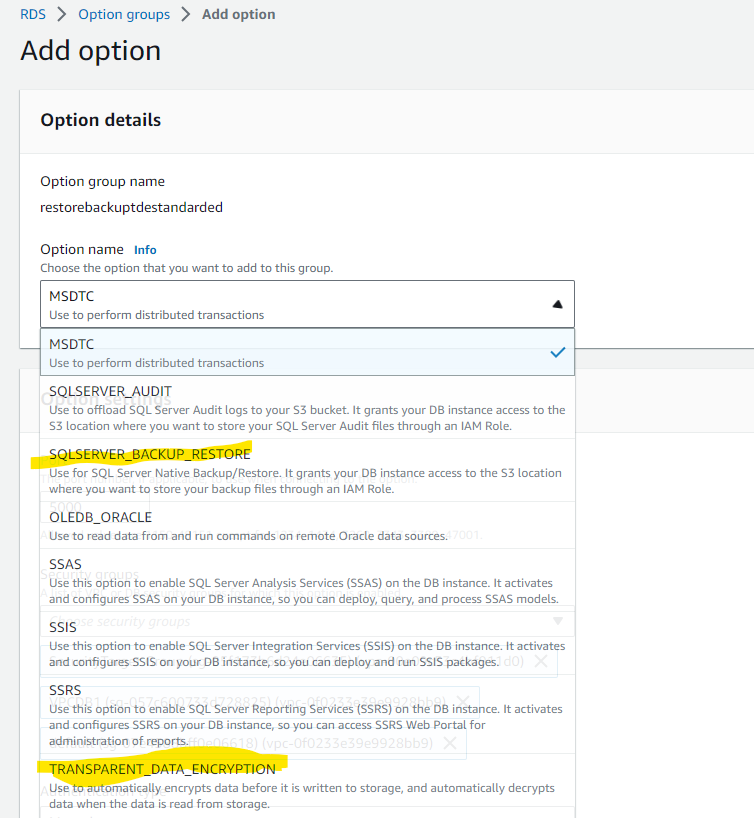
Msg 50000, Level 16, State 1, Procedure msdb.dbo.rds_restore_tde_certificate, Line 97 [Batch Start Line 0]
An incorrect file extension was specified for @certificate_file_s3_arn. The extension must be .cer
USAGE:
EXECUTE msdb.dbo.rds_restore_tde_certificate @certificate_name,@certificate_file_s3_arn,@private_key_file_s3_arn,@kms_password_key_arn
@certificate_name : Name of the TDE certificate to restore.
@certificate_file_s3_arn : S3 ARN of the backup file used to restore TDE certificate.
@private_key_file_s3_arn : S3 ARN of the private key file that secures the TDE certificate to be restored.
@kms_password_key_arn : ARN of the symmetric KMS key used to encrypt the private key password.
—.cer needs to be added to
@certificate_file_s3_arn=’arn:aws:s3:::bucketbackupnotreal/MyTDEServerCert_Cert.cer’,
[2023-09-10 22:36:22.237] Task has been aborted [2023-09-10 22:36:22.243] User: arn:aws:sts::662360655555:assumed-role/RestoreBackStandardEditionTDE/RDS-SqlServerBackupRestore is not
authorized to perform: kms:DescribeKey on resource: arn:aws:kms:eu-west-1:66234355555:key/4343055555e-6917-4577-9d31-notrealcf
because no identity-based policy allows the kms:DescribeKey action
[2023-09-10 23:39:22.403] Task execution has started. [2023-09-10 23:39:22.440] Task has been aborted [2023-09-10 23:39:22.443]
User: arn:aws:sts::662360655555:assumed-role/RestoreBackStandardEditionTDE/RDS-SqlServerBackupRestore is not
authorized to perform: kms:Decrypt on resource: arn:aws:kms:eu-west-1:662360655555:key/4d0d048e-7917-4577-4444-notrealcf because
no identity-based policy allows the kms:Decrypt action
{
“Version”: “2012-10-17”,
“Statement”: [
{
“Sid”: “VisualEditor0”,
“Effect”: “Allow”,
“Action”: “kms:DescribeKey”,
“Resource”: “arn:aws:kms::662360655555:key/4d0d048e-7917-4577-9d31-notreal” } ] } { “Version”: “2012-10-17”, “Statement”: [ { “Sid”: “VisualEditor0”, “Effect”: “Allow”, “Action”: “kms:Decrypt”, “Resource”: “arn:aws:kms::662360655555:key/4d34434048e-7917-4577-9d31-notreal”
}
]
}
[2023-09-10 23:12:22.430] Task execution has started. [2023-09-10 23:12:22.450] Task has been aborted [2023-09-10 23:12:22.457] Private key password not found in S3 metadata.
You must edit the metadata private key backup file and choose to add metadata with type as user defined, key name as add rds-tde-pwd, and value as the KMS key CipertextBlob value from earlier.
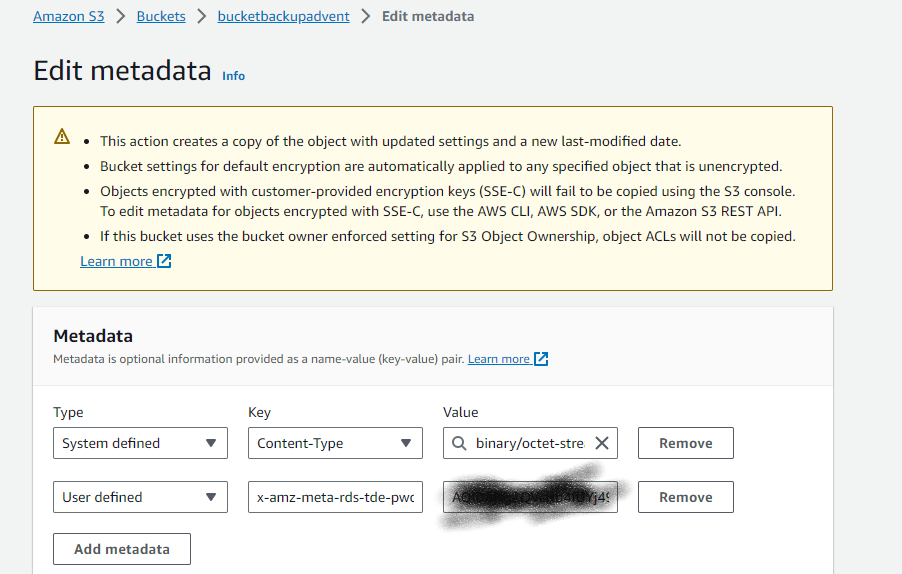
task_type database_name % complete duration(mins) lifecycle task_info
RESTORE_TDE_CERTIFICATE Not Applicable 100 1 SUCCESS [2023-09-10 23:44:22.403] Task execution has started. [2023-09-10 23:44:22.763] Task execution succeeded
[2023-09-10 23:47:22.437] Task execution has started. [2023-09-10 23:47:22.653] TDEDB.bak: Completed processing 92.22% of S3 chunks. [2023-09-10 23:47:22.660] 99
percent processed. [2023-09-10 23:47:22.670] 100 percent processed. [2023-09-10 23:47:22.673] TDEDB.bak: Completed processing 99.05% of S3 chunks.
[2023-09-10 23:47:22.693] Processed 352 pages for database ‘TDEDB’, file ‘TDEDB’ on file 1. [2023-09-10 23:47:22.703] Processed 2 pages for database ‘TDEDB’,
file ‘TDEDB_log’ on file 1. [2023-09-10 23:47:22.977] RESTORE DATABASE successfully processed 354 pages in 0.062 seconds (44.543 MB/sec). [2023-09-10 23:48:22.060]
TDEDB.bak: S3 processing completed successfully [2023-09-10 23:48:22.127] Aborted the task because of a task failure or a concurrent RESTORE_DB request. [2023-09-10 23:48:22.320]
TDEDB.bak: S3 processing has been aborted [2023-09-10 23:48:22.323] Task has been aborted [2023-09-10 23:48:22.327] Cannot execute as the database principal because the principal
“dbo” does not exist, this type of principal cannot be impersonated, or you do not have permission.
----Change the DBO and take another backup
use [master];
GO
USE [TDEDB]
GO
ALTER AUTHORIZATION ON DATABASE::[TDEDB] TO [sa]
exec msdb.dbo.rds_restore_database
@restore_db_name='TDEDB',
@s3_arn_to_restore_from='arn:aws:s3:::bucketbackupnotreal/TDEDB.bak';
exec msdb.dbo.rds_restore_database
@restore_db_name='TDEDB',
@s3_arn_to_restore_from='arn:aws:s3:::bucketbackupnotreal/TDEDB.bak';
task_id task_type database_name % complete duration(mins) lifecycle task_info
10 RESTORE_DB TDEDB 100 2 SUCCESS [2023-09-10 23:57:22.210] Task execution has started. [2023-09-10 23:57:22.430] TDEDB.bak: